





myIBPO+: How to Track Your Loans & Commitments with the AI Dashboard

Ever wondered how much you owe across all your loans and financial commitments? Instead of checking different banks, providers and statements one by one, your Financial Dashboard on myIBPO+ brings all your financial information together in one place.
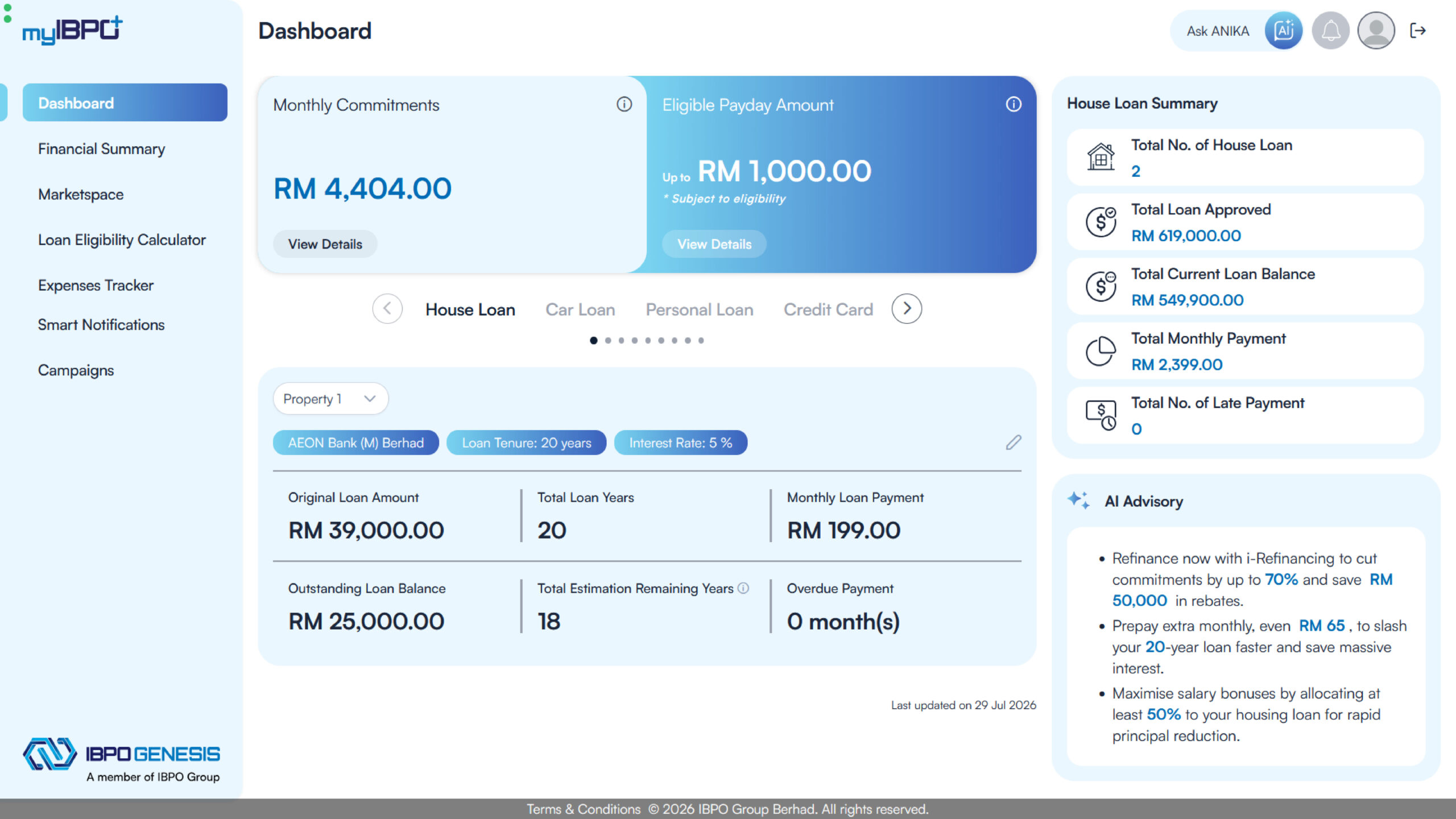
Powered by AI and enabled through eKYC verification, the dashboard organises your financial information into a comprehensive overview, making it easier to view, understand and keep track of your financial commitments.
Let’s take a closer look at each section of your dashboard and what it tells you about your finances!
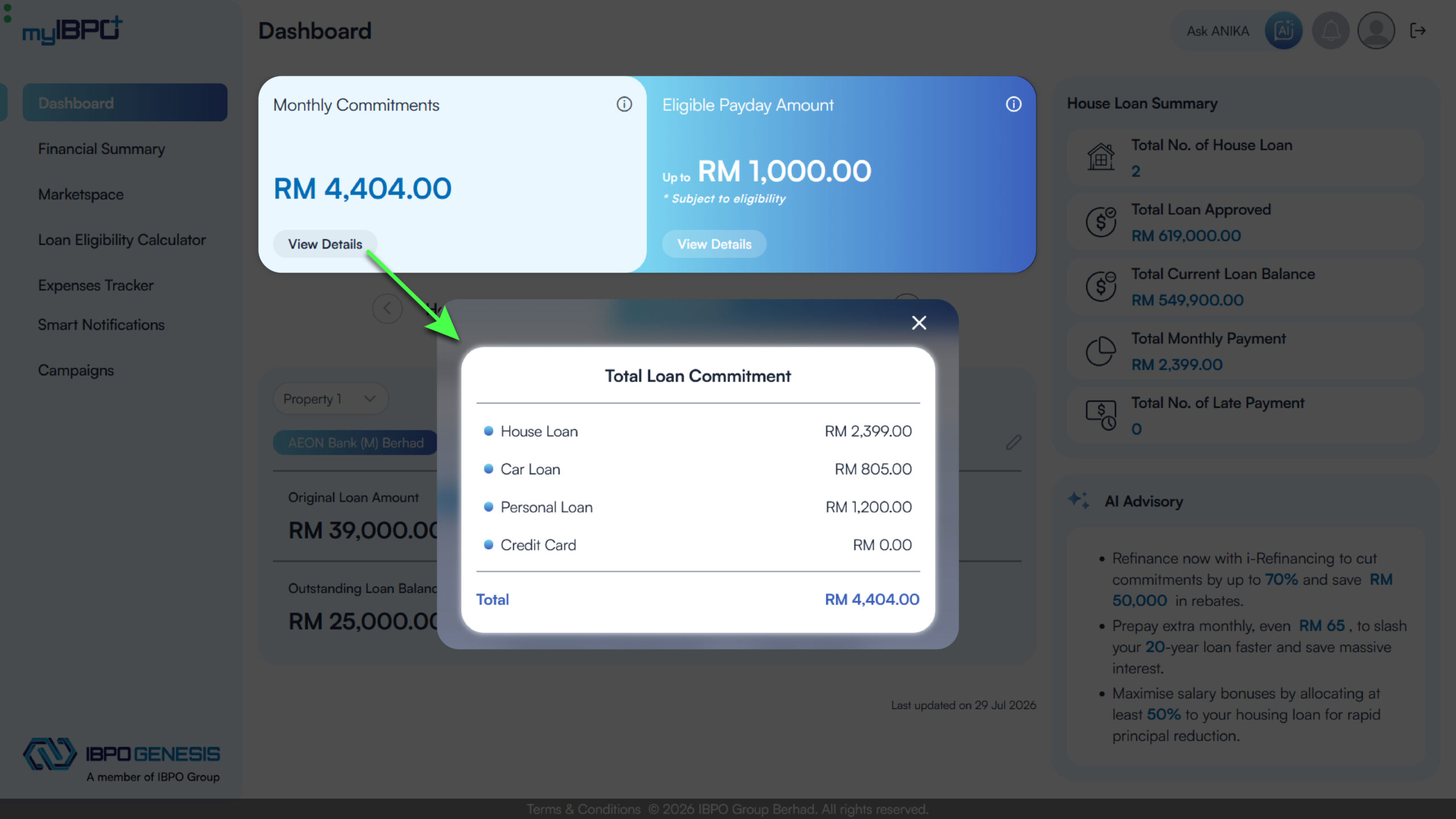
1. View your total monthly commitments
Get a consolidated, total view of all your active loans and financial commitments, with all your monthly instalments added up automatically. See how much you’re committed to paying each month without having to calculate everything yourself!
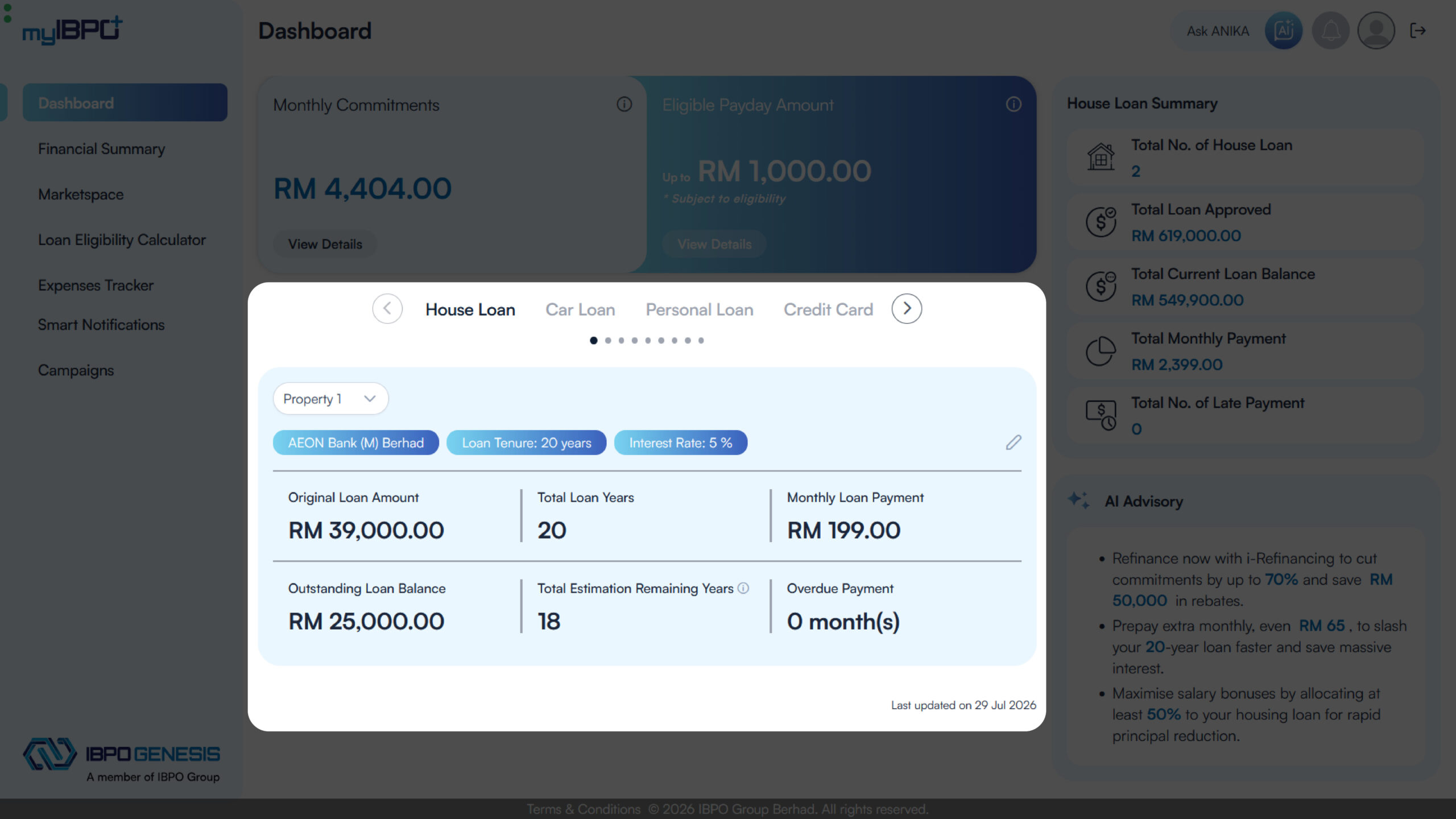
2. Check Financial Commitments by Category
Your dashboard categorises your financial commitments, making it easier to identify and review each type of loan or financing.
You can find various categories, including:
- Home Loans
- Car Loans
- Personal Loans
- Credit Cards
- Higher Education Loans (PTPTN)
- Islamic Pawnbroking
- Buy Now Pay Later (BNPL)
- Others
Select any category to view its details, including:
- Original Loan Amount: The initial amount of your loan or financing.
- Total Loan Tenure: The original repayment period.
- Monthly Instalment: How much you pay each month.
- Outstanding Balance: How much you still owe.
- Estimated Remaining Tenure: The estimated time left to repay your loan.
- Overdue or Missed Payments: Check whether you have any outstanding overdue payments.
With these details readily available, you can better understand each financial commitment without having to search through multiple statements.
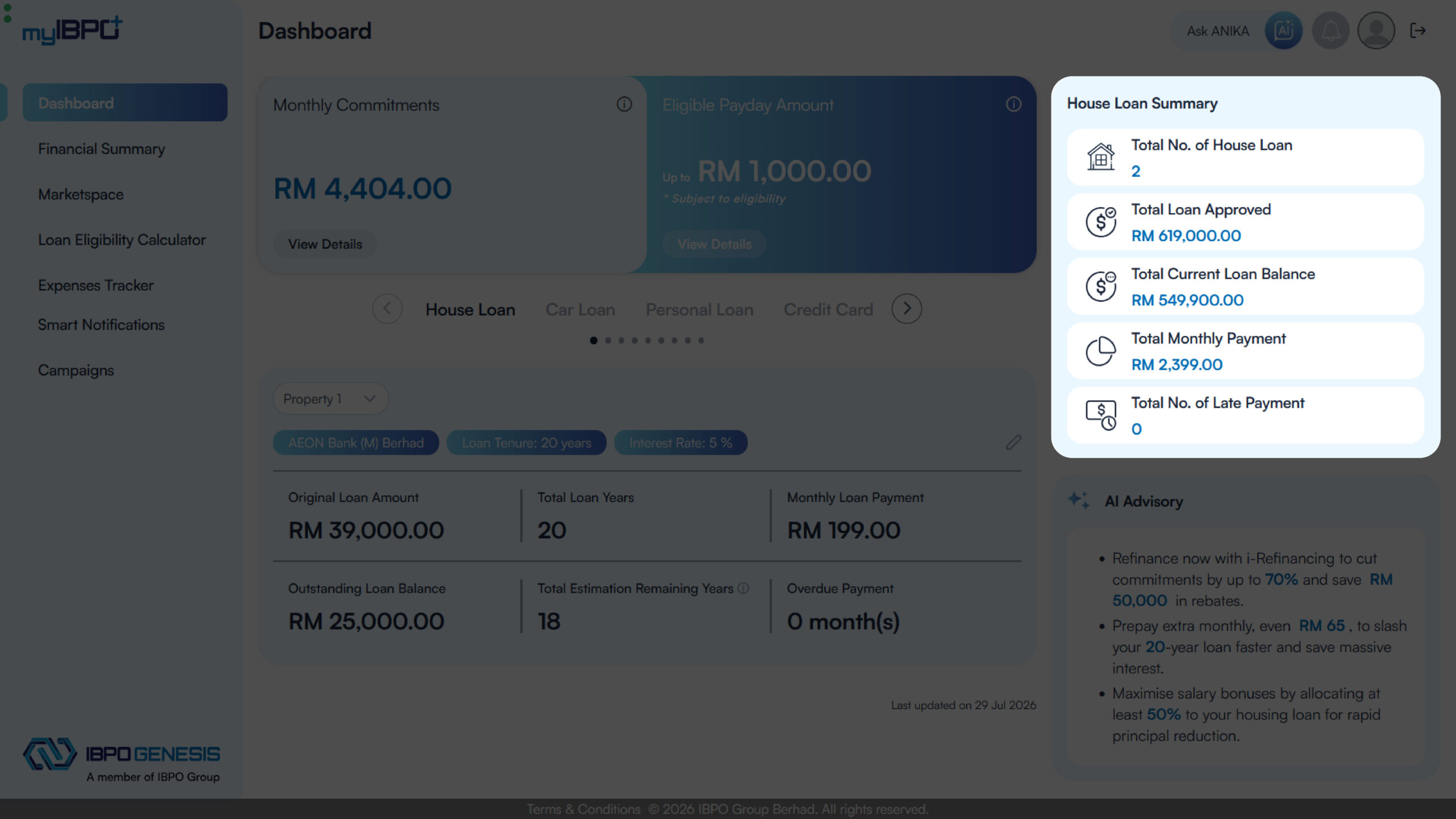
3. Loan Summary by Category
Got more than one loan or financial commitment of the same type? Your dashboard groups them together so you can see the total for each category.
For example, if you have two home loans, simply select Home Loan to view their combined outstanding balance and monthly instalments in one place. No need to add up the figures yourself!
This makes it easier to see how much you owe under each loan category.
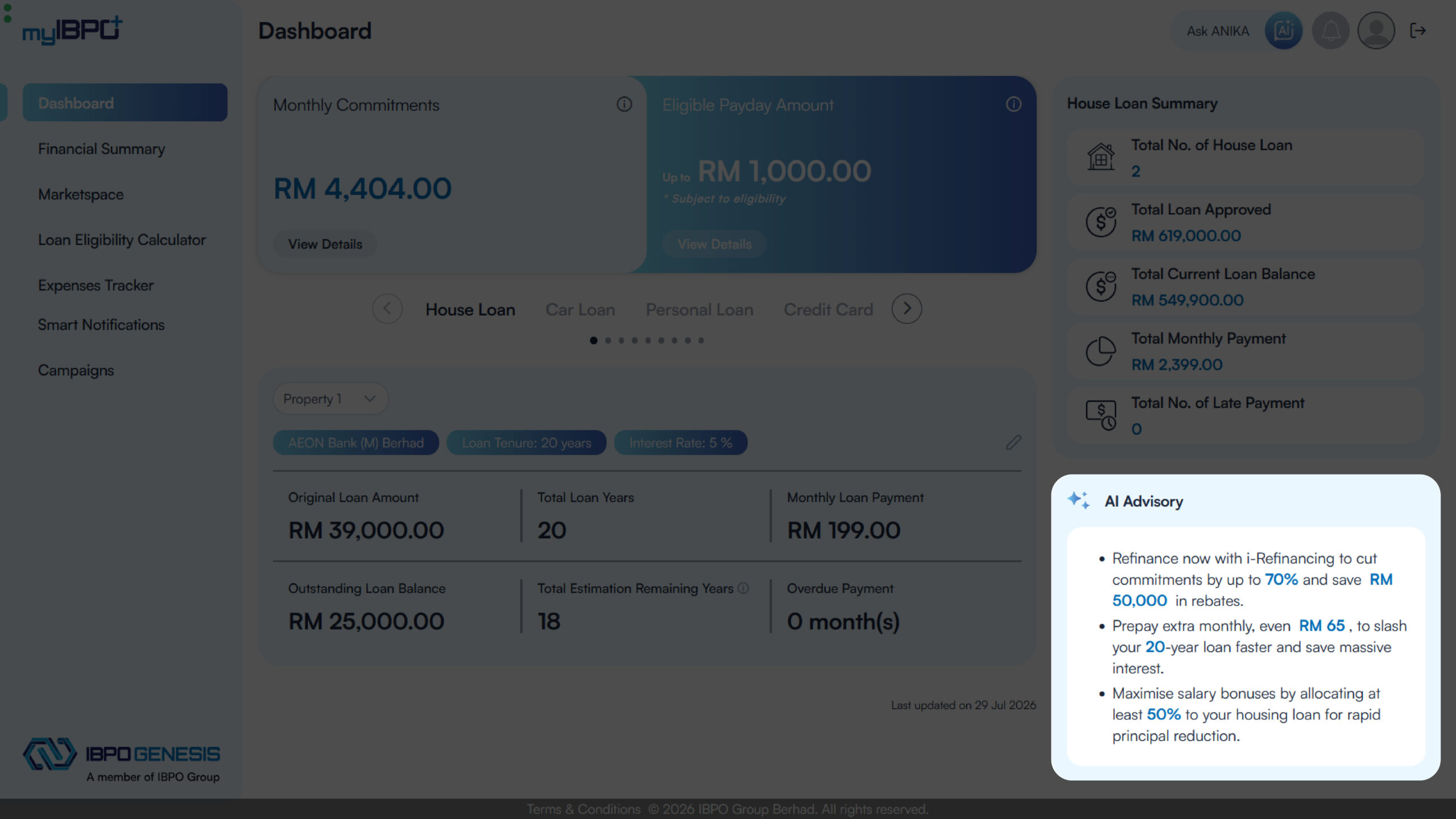
4. Personalised Financial Insights with AI Advisory
AI Advisory instantly analyses your financial information to give you a deeper understanding of your overall financial standing. Beyond just showing you the numbers, it turns your financial data into personalised insights, practical recommendations and smart suggestions to help you manage your commitments, identify opportunities, and make better financial decisions.
Think of it as having a smarter way to understand your finances, with useful guidance to help you decide what to do next!
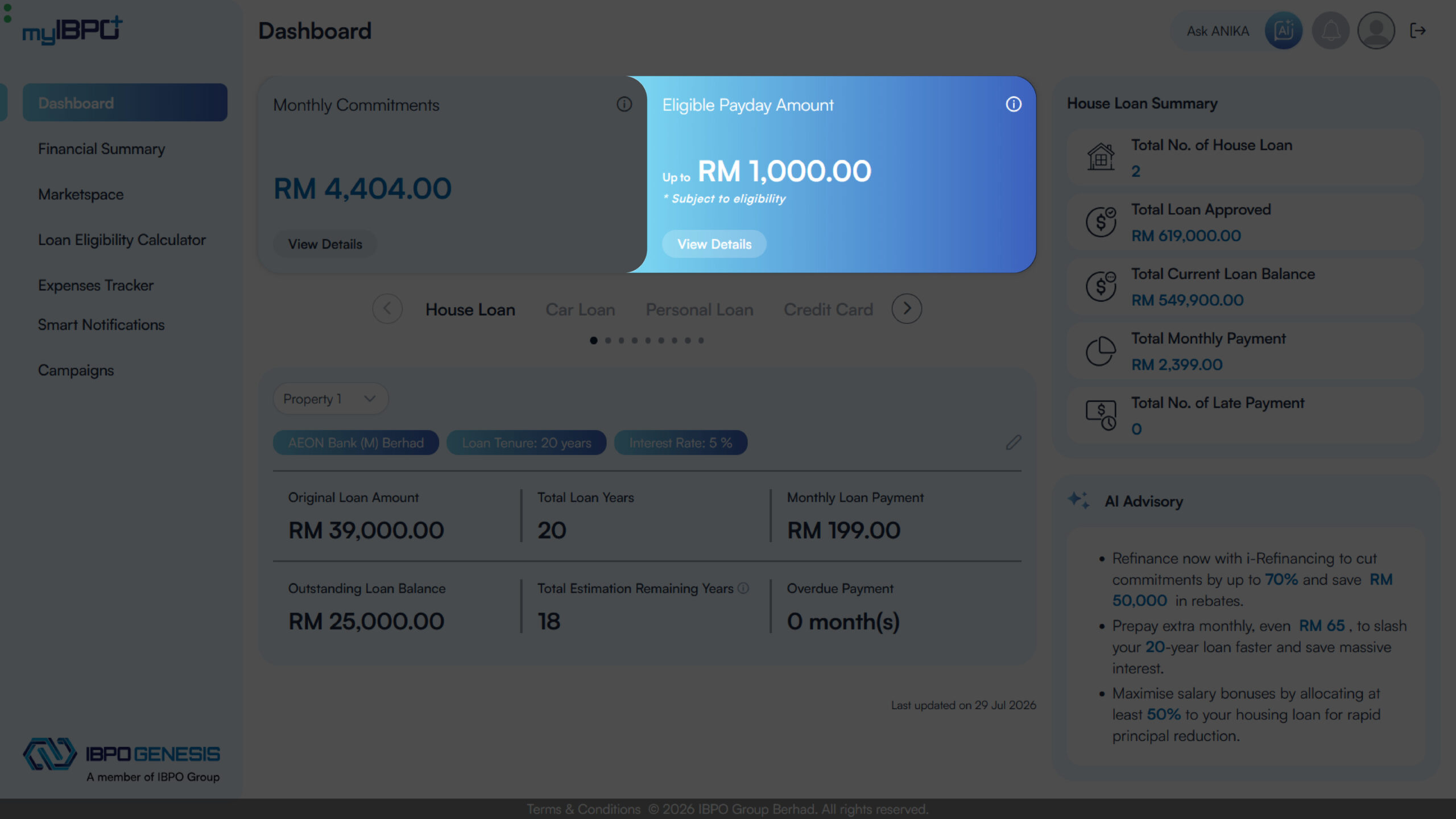
5. Check & Apply for Payday Financing Eligibility
Need a little extra cash to cover your upcoming expenses? Your dashboard lets you check the amount you may be eligible for under Payday Financing, giving you a better idea of the short-term financing available to you.
Simply apply for Payday Financing directly from your dashboard for a more convenient experience!
Ready to make smarter money moves?
Now that you’ve explored your myIBPO+ Financial Dashboard, it’s time to put those insights into action! Sign up for myIBPO+ and take your first step towards better financials, visit myibpoplus.ibpo.com.my